TechTOOLS VIN-Based Flash Search Not Working
TechTOOLS VIN-Based Flash Search Not Working
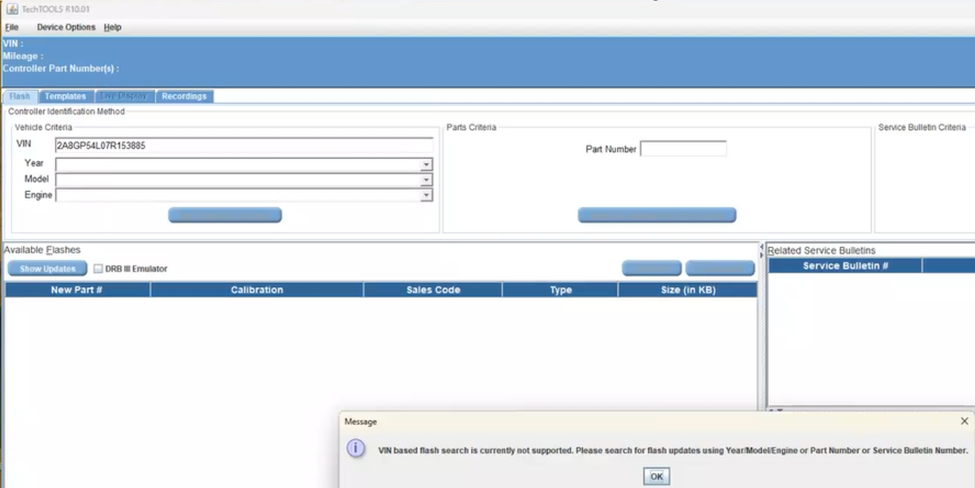
When attempting to search for available flashes in TechTOOLS by VIN, the following message may be displayed:
“VIN based flash search is currently not supported. Please search for flash updates using Year/Model/Engine or Part Number or Service Bulletin Number.”
Perform the Fix
Follow the steps below to resolve the issue.
- Make sure all TechTOOLS instances are closed before proceeding.
Step 1. Download and Extract the Updated File
1. Download the attached mds2002client.zip file. (see below)
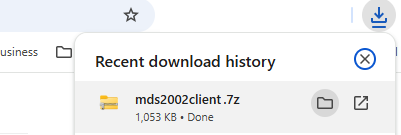
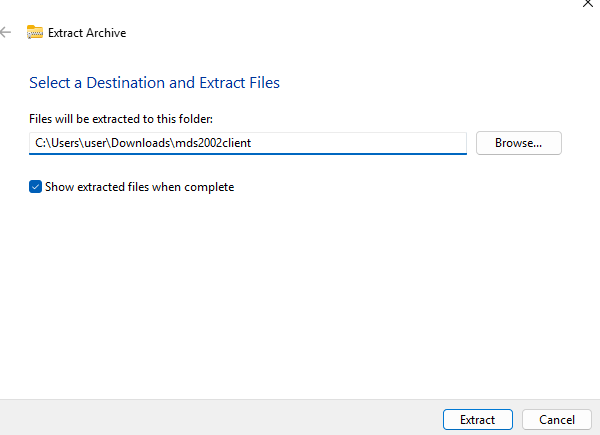
2. Extract mds2002client.zip to your Downloads folder:
A ZIP extraction utility such as 7-Zip, WinRAR, or WinZip may be used to extract the file.
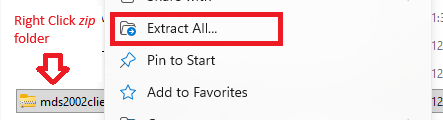
Browse for your "Downloads folder and then Click on "Extract"
3. After extraction, verify that the following file is available in your Downloads folder: mds2002client.jar
Note: Make sure the extracted file has the .jar extension.
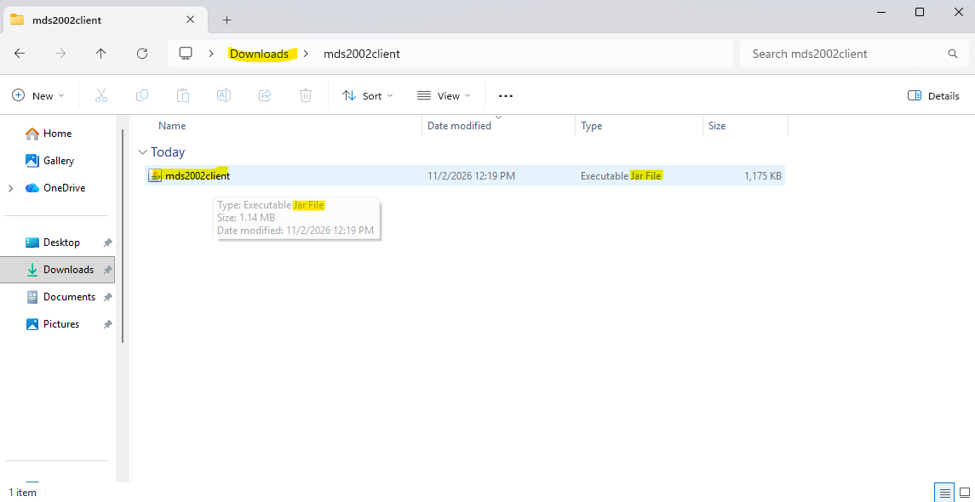
Step 2. Replace the Existing JAR File
1. Locate the newly extracted file in your Downloads folder:
mds2002client.jar
2. Copy the mds2002client.jar file.
3. Navigate to the following TechTOOLS directory:
C:\DTO\TechTOOLS\dist\lib
4. Paste mds2002client.jar into the ‘lib’ folder.
5. When prompted, select the option to replace the existing file.
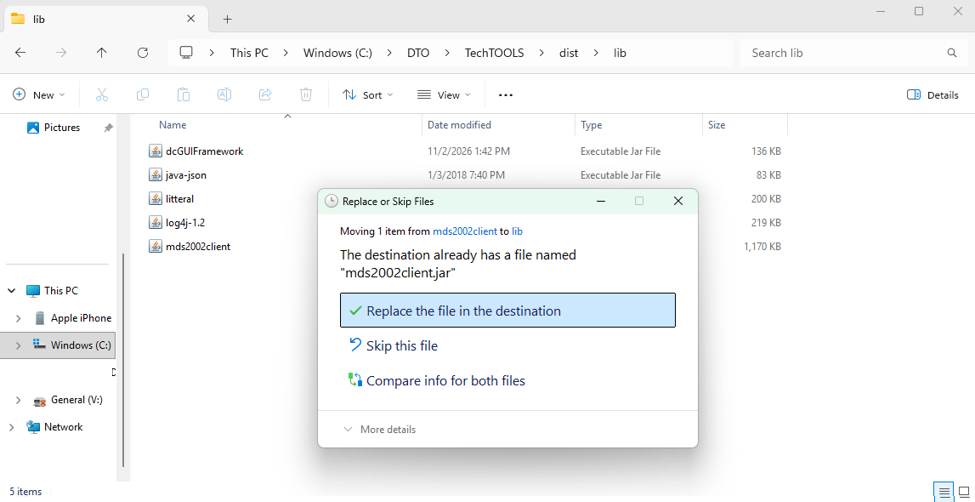
Verify the Fix
After completing the above steps:
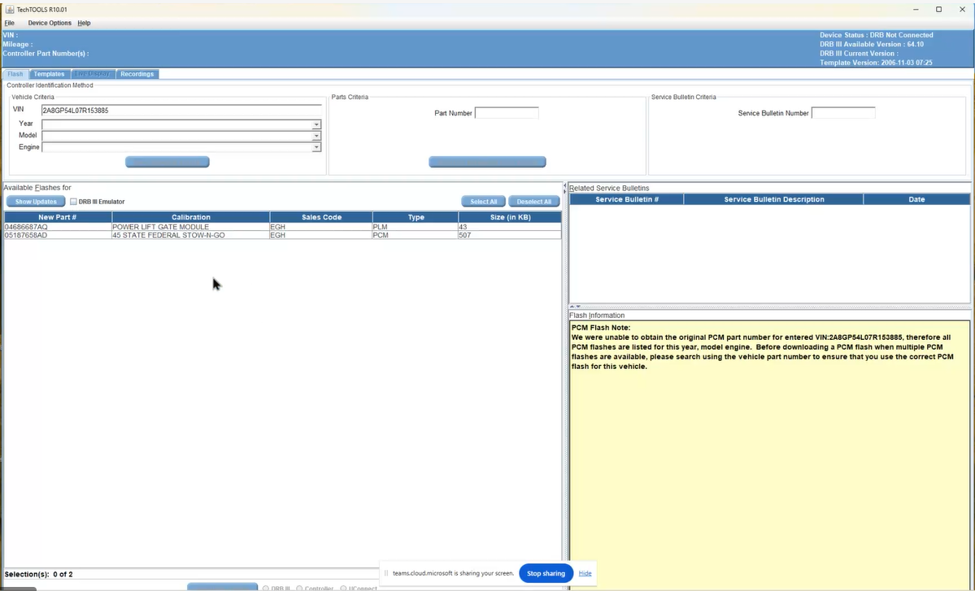
- Reopen TechTOOLS.
- Enter vehicle VIN.
- Select ‘Show Updates”
TechTOOLS should now successfully perform the VIN-based flash search and display the available flash updates for the vehicle.
Contact the wiTECH Help Desk at 1-888-wiTECH-1 /888-948-3241 or enter a The new Technical Assistance Management (TAM) System for Aftermarket ticket for further assistance with TechTOOLS Application.
Article Number: 1091
Posted: Mon, Nov 2, 2026
Last Updated: Mon, Nov 2, 2026
Posted: Emil Ghiurau
Online URL: https://kb.fcawitech.com/article/techtools-vin-based-flash-search-not-working-1091.html