Vehicle Reprogramming Subscription (VRS) - How-to
What is a Vehicle Reprogramming Subscription (VRS)?
wiTECH 2.0 Aftermarket customers are required to purchase a Vehicle Reprogramming Subscription to flash FCA vehicles. The Reprogramming Subscription fee is per VIN for a one year Reprogramming Subscription. Each flash subscription purchased allows the user to flash all ECUs requiring an update on a single VIN. After a flash subscription is purchased, it is activated when the first flash is performed in wiTECH. The flash subscription will remain active for one year following the first flash performed. The one-year subscription grants the user unlimited flash to the specific VIN for one year after the first flash is performed. If the same vehicle requires flash updates after the 1-year subscription has expired, another VRS must be purchased. If the wiTECH user wishes to flash multiple vehicles, a separate VRS must be purchased for each vehicle requiring flash updates.
NOTE: wiTECH Vehicle Reprogramming Subscription requires the following:
- A secure microPod (WSP-31560 and newer) or a FCA US verified J2534 device
- An active wiTECH 2.0 subscription
- A TechAuthority subscription is required to flash in conjunction with a Reprogramming Subscription - www.techauthority.com
How do I purchase a Vehicle Reprogramming Subscription?
NOTE: Vehicle Reprogramming Subscriptions must be purchased by the wiTECH Mopar Technical Service Portal (MTSP) account owner and NOT a wiTECH MTSP user. A VRS can be purchased multiple ways and they are as follows:
Purchasing a VRS directly via the Mopar Technical Service Portal (MTSP) Page
This is the recommended process if your wiTECH Account has users created in addition to the account owner.
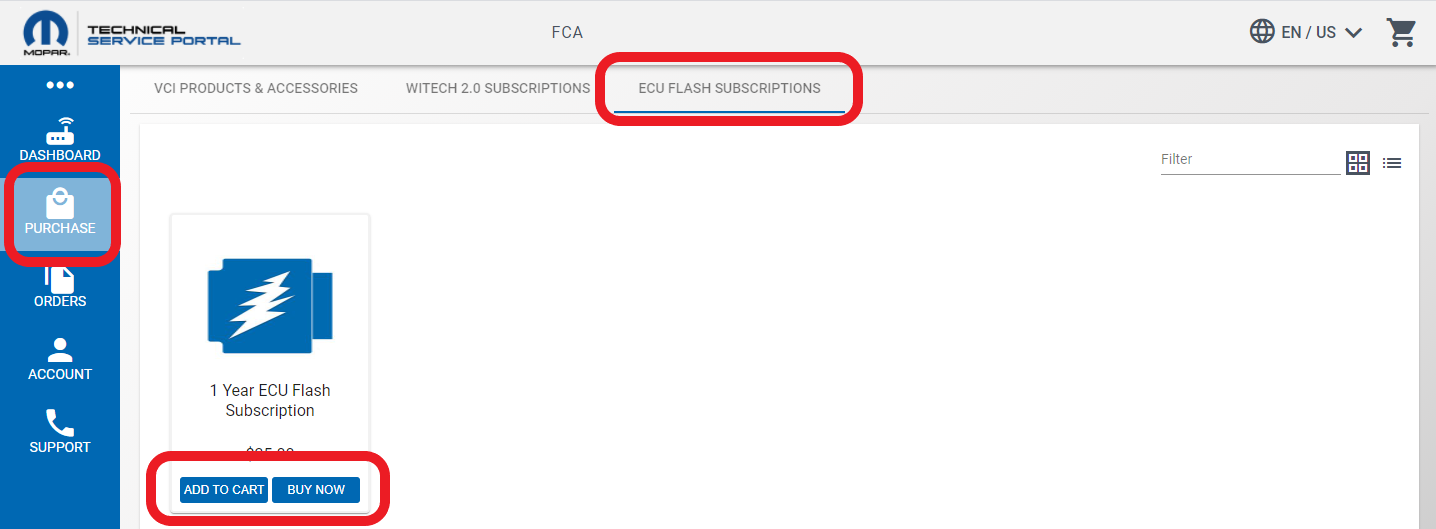
- Log into the wiTECH MTSP page, https://mopartsp.com/, select "Purchase" from the left side menu, select "ECU Flash Subscriptions" from the top menu, then select "Add to Cart" or "Buy Now".
Note, to purchase multiple VRSes, choose "Add to Cart".
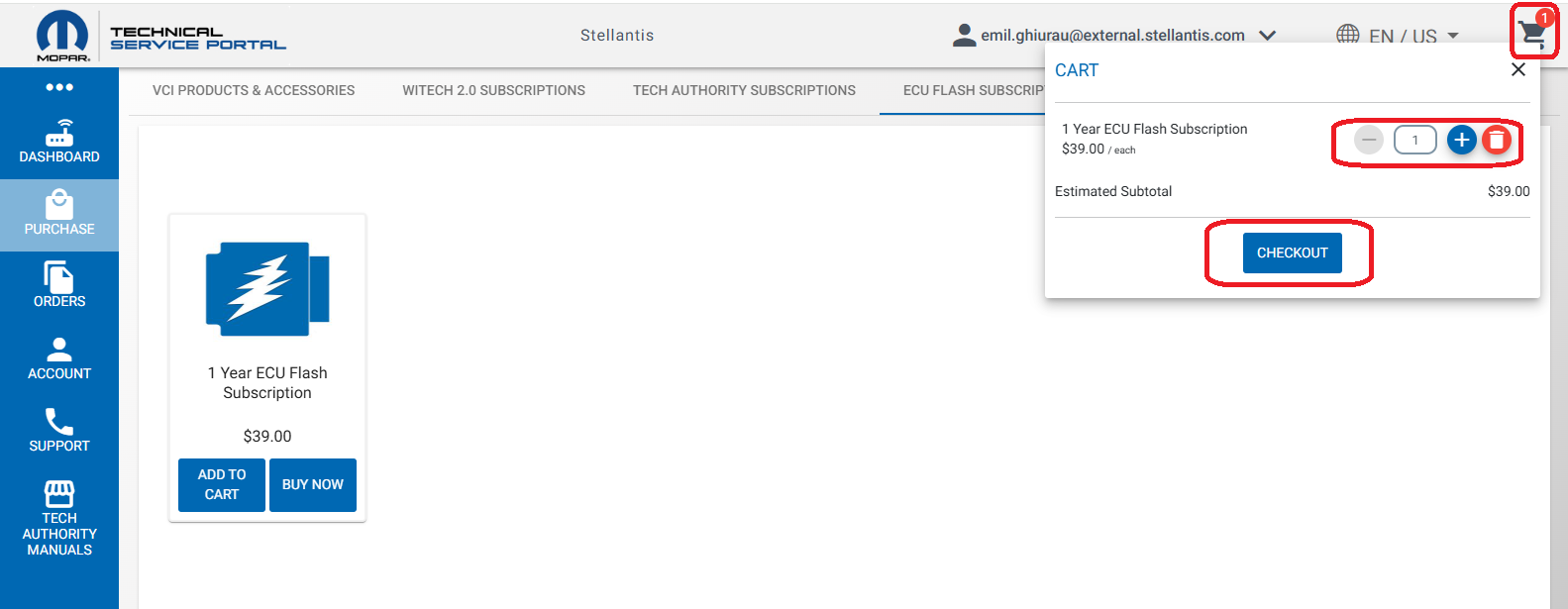
- If needed, select the cart. Then if desired, modify the quantity, and select "Checkout".
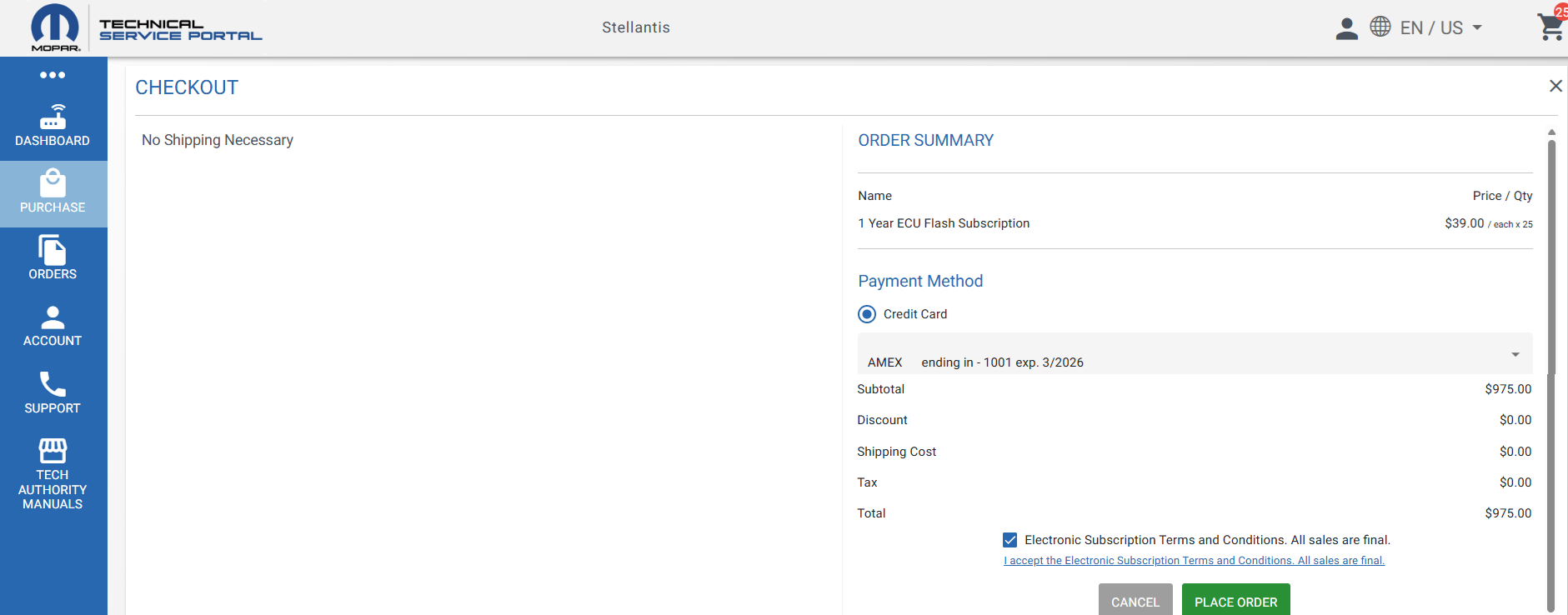
- Enter your credit card information, agree to the Terms and Conditions, and select "Place Order".
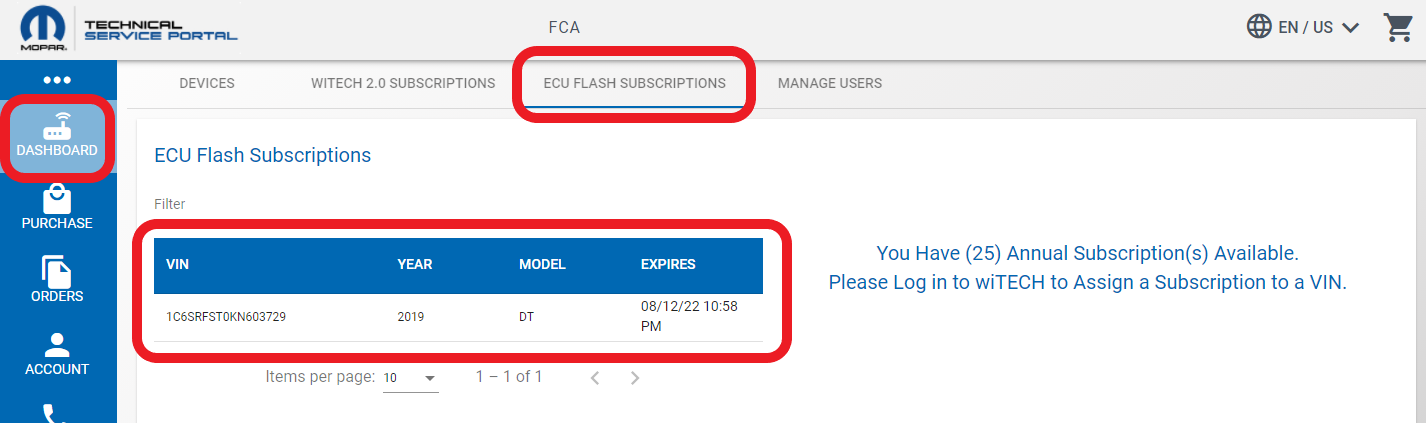
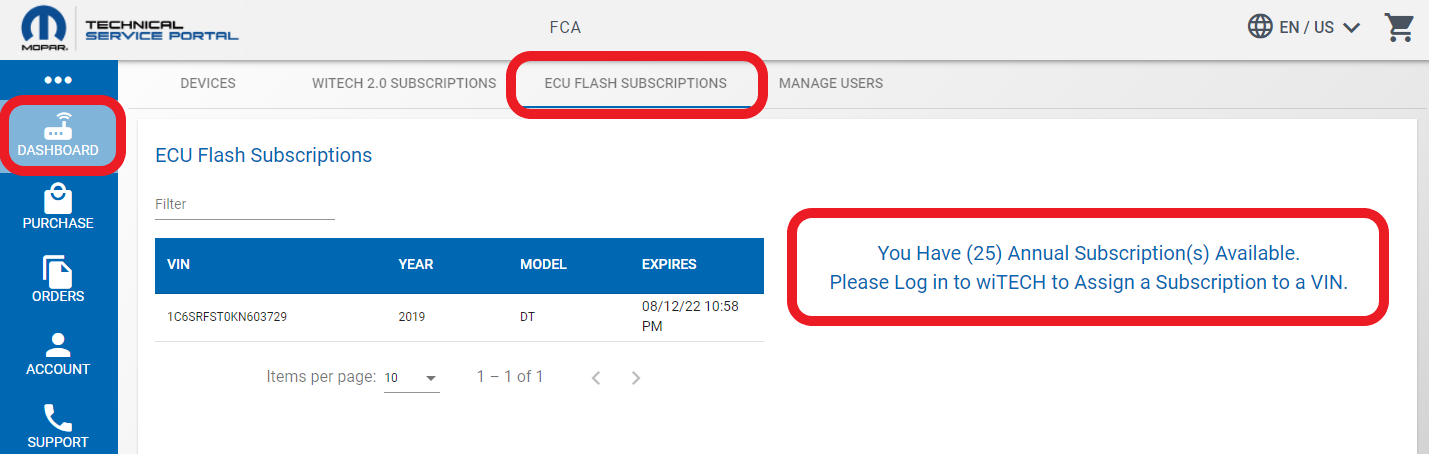
- Once the purchase has been completed, the “Dashboard”-"Reprogramming Subscriptions" page will display the available subscriptions.
Purchasing a VRS when wiTECH states a VRS is required (Account Owner)
- Navigate to the Flash Tab and select the link to the wiTECH MTSP page.
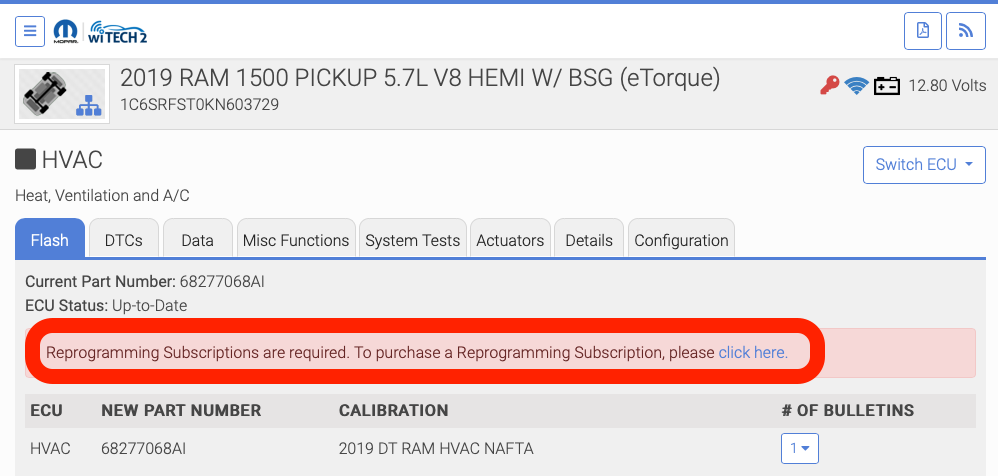
- The owner can follow the link, log into wiTECH MTSP, and purchase a Vehicle Reprogramming Subscription as seen above. NOTE: Vehicle Reprogramming Subscriptions must be purchased by the wiTECH MTSP account owner and NOT a wiTECH MTSP user.
Purchasing a VRS in wiTECH after attempting a flash (Account owner)
If a flash is attempted and a VRS is not available, wiTECH will prompt the owner to purchase a VRS.
- From the Flash tab in wiTECH, select the link.
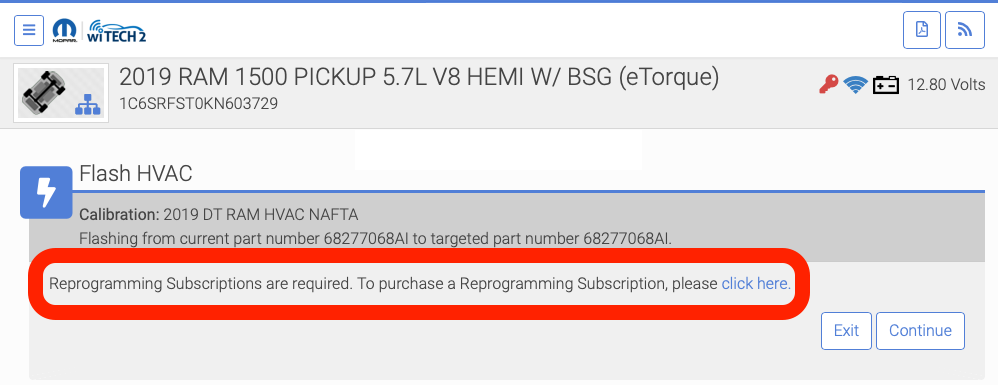
- Log into wiTECH MTSP and purchase a Vehicle Reprogramming Subscription as seen above. NOTE: Vehicle Reprogramming Subscriptions must be purchased by the wiTECH MTSP account owner and NOT a wiTECH MTSP user.
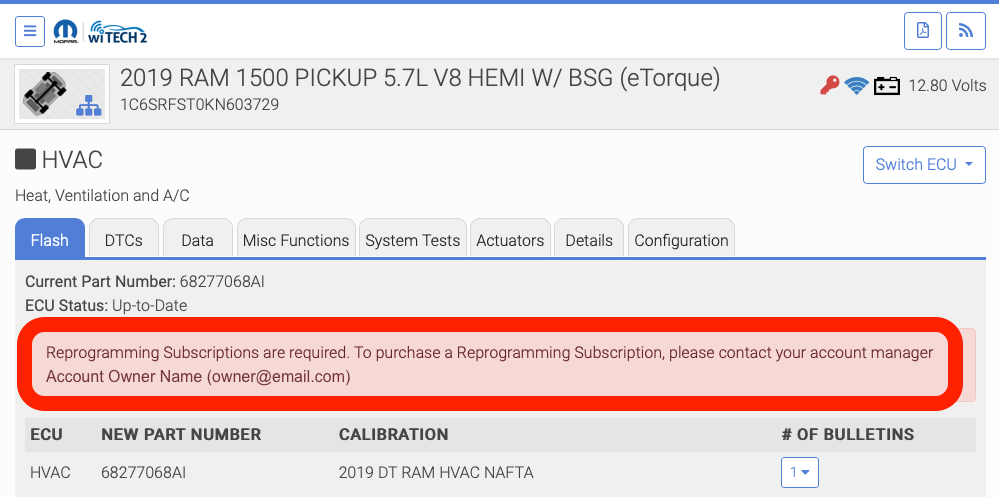
Purchasing a VRS when wiTECH states a VRS is required (Account User)
- If a flash is attempted and a VRS is not available, wiTECH will prompt the user and notify them to get the account owner to purchase a VRS. The account owner will then have to navigate to the MTSP page and purchase a VRS.
How do I perform a VRS flash update?
Account doesn’t currently own any VRSes (via Owner)
- From the Flash tab in wiTECH, select “click here” to navigate to the MTSP to purchase a VRS.
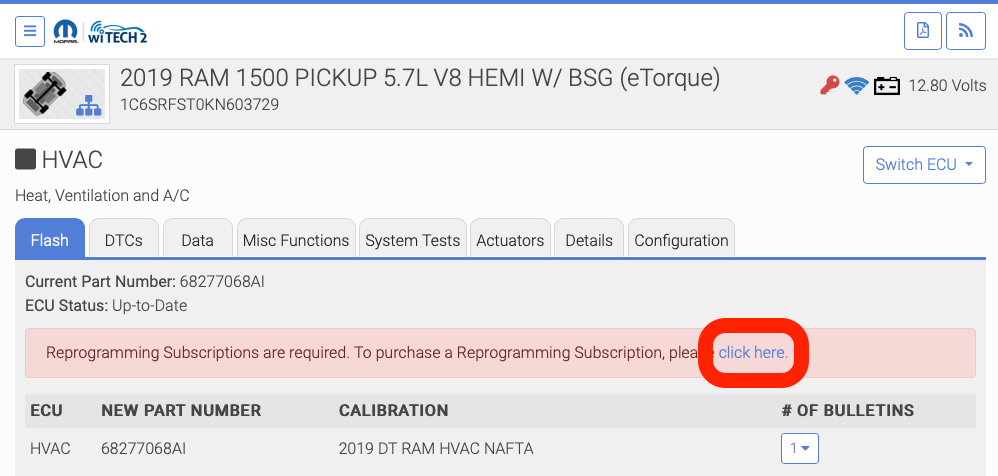
- Log into the Mopar Technical Service Portal as the account owner and purchase a VRS as described in the steps above in "Purchasing a VRS directly via the Mopar Technical Service Portal (MTSP) Page"
- Return to wiTECH, navigate to another wiTECH tab, then return to the Flash tab in order to refresh wiTECH. The VRS subscription warning no longer displays. Select the desired flash to initiate the flash process.
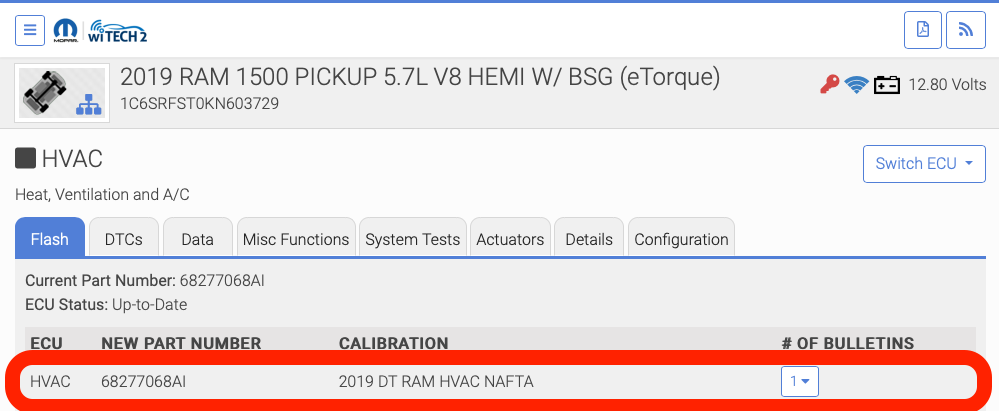
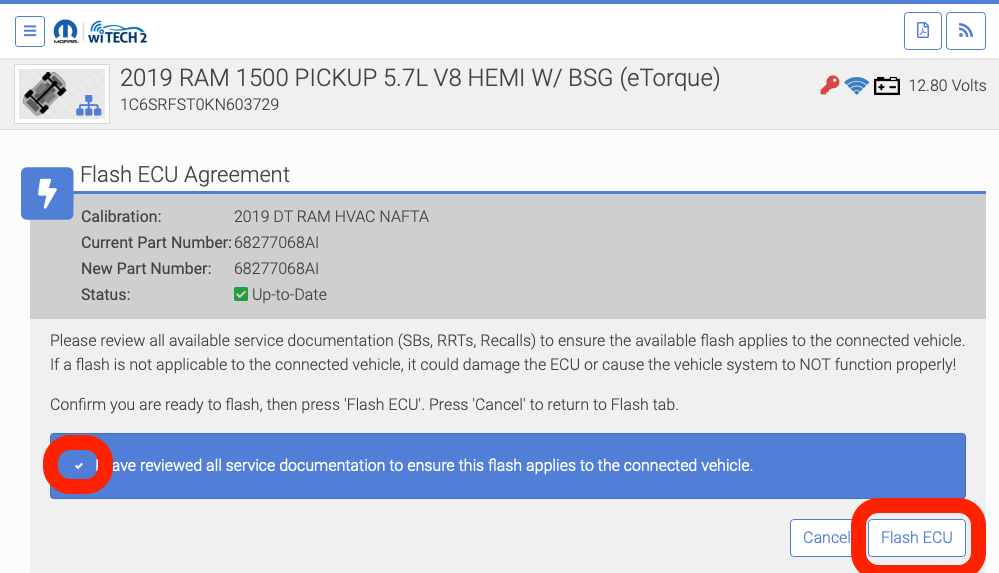
- After you’ve reviewed the information, check the checkbox and select the “Flash ECU” button.
- Select the desired subscription from the “Select Subscription” dropdown, then select “Continue”.
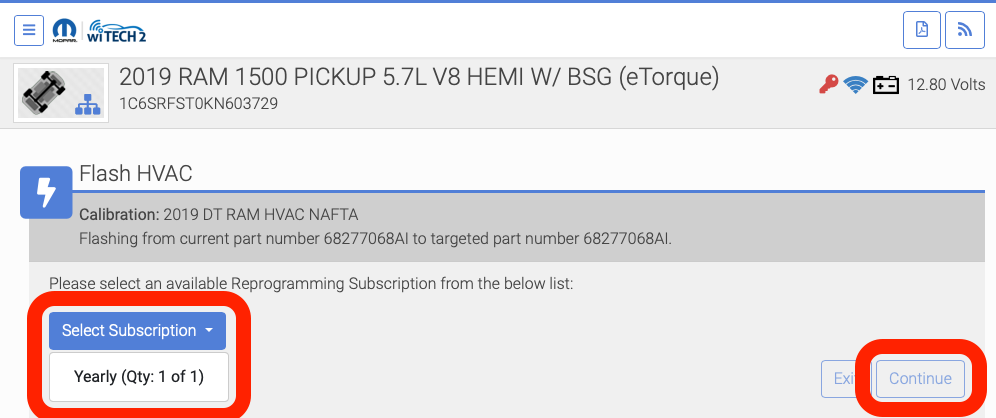
- One of the purchased VRSes is now assigned to the connected vehicle and the flash proceeds.
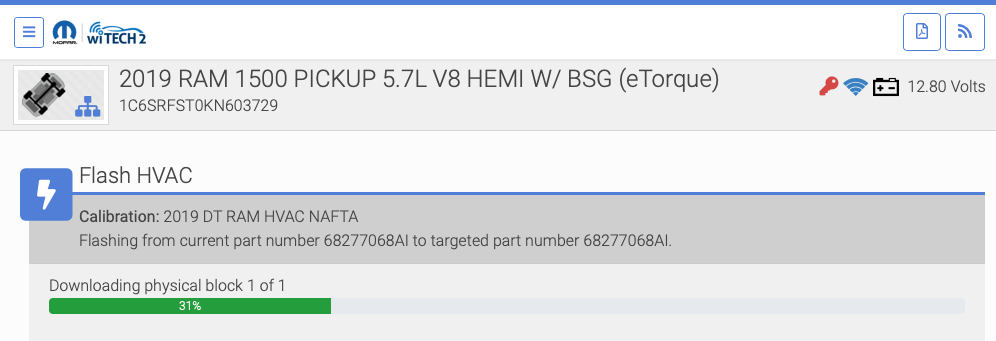
- Additional ECU flashes can be performed on this VIN for 1 year utilizing the activated Vehicle Programming Subscription.
Account already owns available VRSes (via Owner or User)
- Select the flash the user would like to perform.
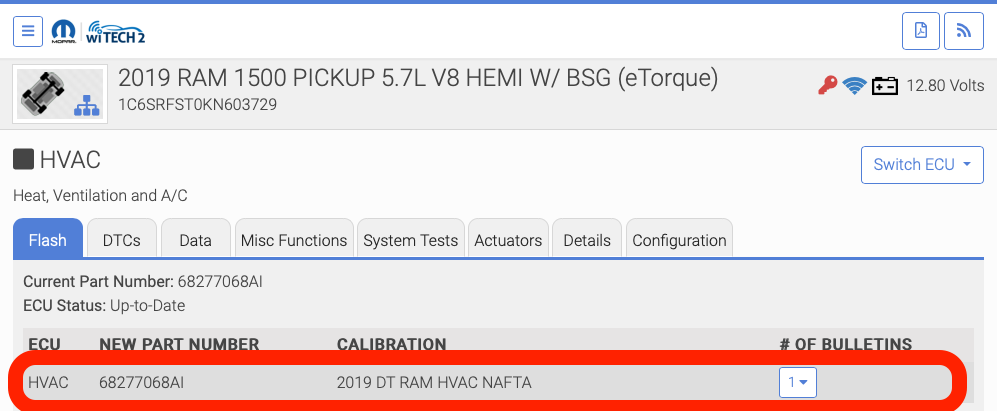
- After you’ve reviewed the information, check the checkbox and select the “Flash ECU” button.
- Open the “Select Subscription” dropdown and select the desired subscription to use, then select “Continue”.
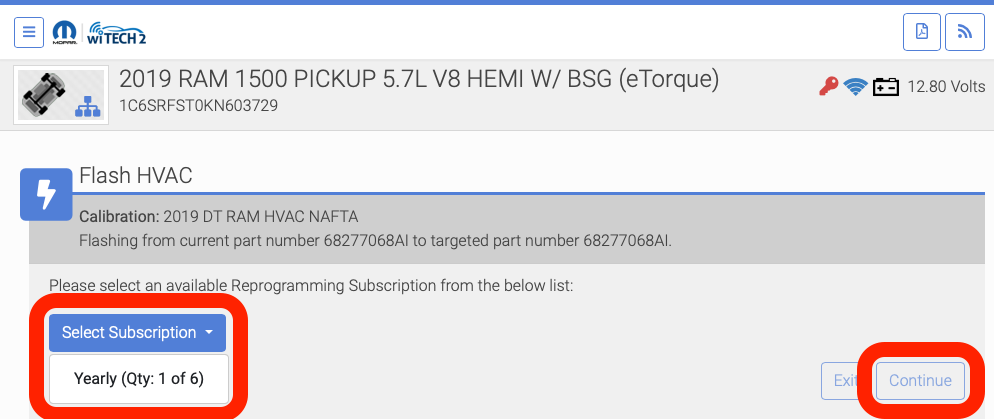
- wiTECH flash updates the selected ECU.
- Additional ECU flashes can be performed on this VIN for 1 year utilizing the activated Vehicle Programming Subscription.
Mopar Technical Service Portal (MTSP) - Assigned Vehicle Reprogramming Subscriptions
Once a VRS has been assigned to a VIN, MTSP will display the assigned VRS in the Dashboard - Flash Subscription page.